
How to Transfer Photos Onto Wood Using Simple Household Items
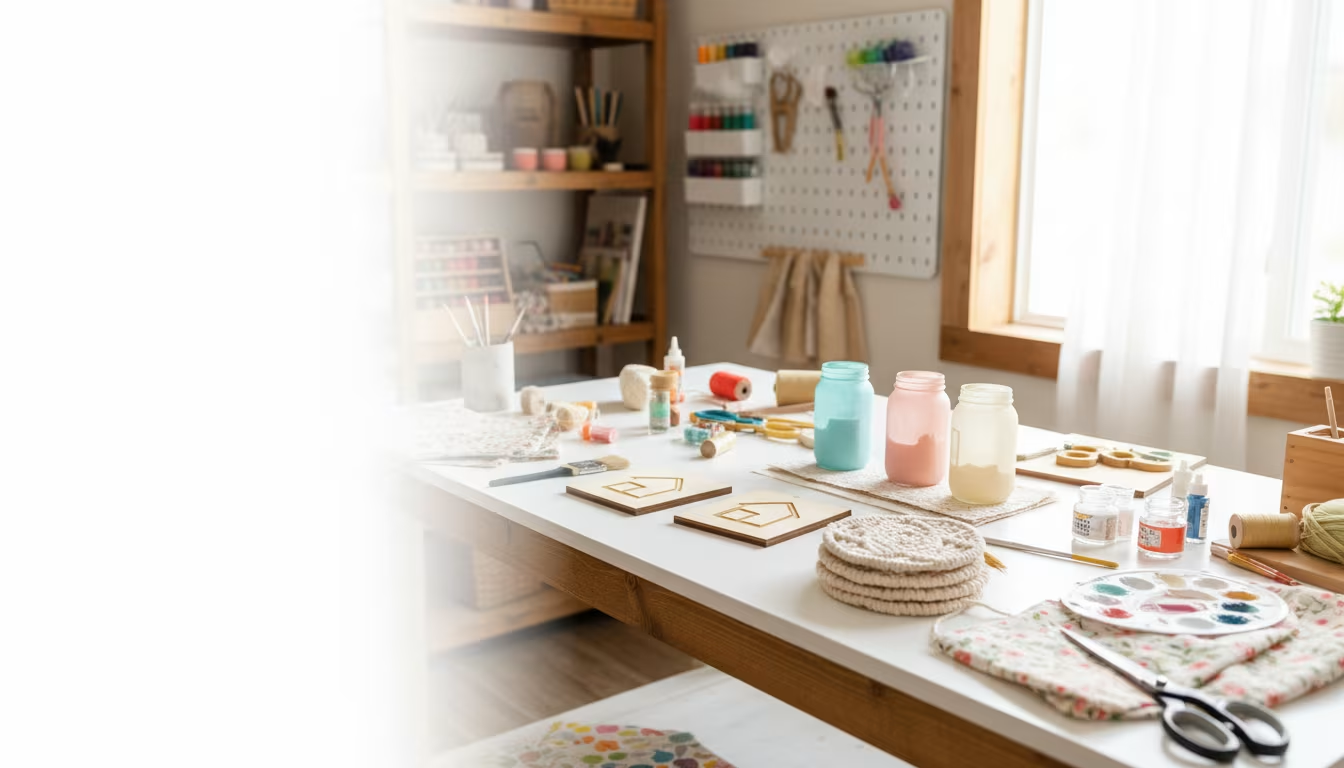
Photo transfer moves the toner from a printed image directly onto a wooden surface, leaving the picture embedded in the grain with a soft, slightly distressed finish that a framed print cannot match. The whole project costs under $15 in supplies, most of which are already in a craft drawer, and it turns a $2 thrift-store cutting board or a scrap of plywood into a personalized keepsake. The technique is forgiving of imperfection, which is part of its appeal, but two details decide success or failure: the type of print you use, and how long you let the medium cure.
What Photo Transfer Actually Is
The process lifts a printed image off its paper and bonds it to wood using a gel medium as the adhesive. You coat the wood, press the print face-down into the wet medium, let it cure, then wet and rub away the paper backing. The paper fibers roll off; the toner stays behind. Because the wood grain shows through the transferred ink, the result reads as rustic and vintage rather than crisp and photographic. It works on almost any smooth, unfinished wood and needs no specialized equipment.
Why Laser Prints Are Non-Negotiable
This is where most first attempts fail. You must use a print from a laser printer or a toner-based copier. Laser toner is a plastic powder fused to the surface of the paper, so it releases cleanly when the paper is wetted away. Inkjet ink is liquid dye that soaks into the paper fibers, so it smears into an unusable blur the moment water touches it. If you do not own a laser printer, an office-supply or print shop will run the page for a few cents. Print in black-and-white or color, but it must be laser.
One more rule at the print stage: flip the image horizontally to a mirror image before printing. The print goes face-down, so it transfers in reverse. Skip this and any text or recognizable face comes out backward.
Supplies You Need
The kit is short and cheap. The medium is the one item worth buying deliberately rather than substituting.
| Supply | Purpose | Notes |
|---|---|---|
| Unfinished wood | The surface | Pine, birch, or smooth plywood; light woods show the image clearest |
| Laser-printed image (mirrored) | The transfer | Toner only; flip horizontally before printing |
| Gel medium or matte Mod Podge | Bonds toner to wood | Mod Podge, a common decoupage medium, works well |
| Foam brush | Spreading the medium evenly | Cheap and disposable |
| Old credit card or squeegee | Smoothing out air bubbles | Firm, even pressure from center outward |
| Damp cloth or sponge | Wetting paper for the reveal | Moist, not soaking |
| Fine-grit sandpaper (220) | Prepping and light distressing | Optional but recommended |
| Clear sealant or Mod Podge topcoat | Protecting the finished image | 2 to 3 thin coats |
Print a spare copy or two of the image. Transfers occasionally tear on the first attempt, and having backups saves a second trip to the printer.
Prep and Print
Wood choice affects the final look. Lighter woods such as pine and birch show the image clearly; darker woods give a subtler, aged result. Whatever you use, it must be clean and dry, since dust or grease block adhesion. Sand the surface with 220-grit paper to knock down splinters and bumps that would distort the image, then wipe off the dust with a dry cloth. If you want a brighter base, you can paint the wood a light color first, but let that paint dry and cure completely before going further.
Size the printed image to the board, and trim the paper close to the design so you are not fighting large white margins during the reveal. Confirm the mirror flip one more time before you commit; a quick test print catches a forgotten flip cheaply.
High-contrast images transfer best. Toner is semi-transparent once on the wood, so a photo with strong darks and clear shapes reads well, while a pale or low-contrast image can disappear against the grain. If your source photo is flat, bump the contrast a notch in any basic photo editor before printing. Bear in mind that light areas of the picture let the wood show through most, which is exactly the rustic effect the technique is known for.
Apply, Place, and Smooth
Brush a generous, even layer of medium directly onto the wood where the image will sit. Aim for full coverage with no dry gaps: anywhere the medium is missing, the toner will not transfer and you get a blank patch. The coat should look like a thin, even spread, roughly the consistency of a thin peanut-butter layer, wet but not pooling.
Lay the laser print face-down into the wet medium and position it before pressing, because it grabs quickly. Then smooth it with the credit card or squeegee, working from the center outward to all four edges. You are pushing out both trapped air and excess medium; any bubble under the paper leaves a blank blotch in the finished image. Spend a full minute or two on this, working in several directions to guarantee complete contact.
Cure Fully Before You Touch It
This step ruins more projects than any other, and the cure is not the same as dry-to-the-touch. The medium can feel dry in an hour while the bond underneath is still weak. Let the piece sit undisturbed for a minimum of 8 hours, and 12 to 24 hours is the reliable window. A longer cure means a stronger bond and far less paper residue fighting you at the reveal. Set it aside in a dry, room-temperature spot and do not pick at the edges to check progress.
The Reveal: Wet and Rub
Once cured, dampen the back of the paper with a wet cloth or sponge until it is thoroughly moist but not flooded. The water loosens the paper fibers so they rub away while the toner stays bonded to the wood. Start rubbing gently with your fingertips in small circles. Bits of paper roll off and the image appears underneath.
Go slowly. Rubbing too hard or too fast lifts the transferred toner along with the paper and leaves bald spots. Re-dampen dry areas as you work; a thin white haze of paper fiber usually needs a second or third pass. You are finished when no white residue remains and the grain shows clearly through the image. A soft, dry toothbrush helps coax off stubborn residue in textured areas without scrubbing off the ink. Work under good side light so you can see the faint white film that lingers after the obvious paper is gone, since that haze is easy to miss until the piece dries and it reappears as a dull cast over the image.
Seal the Finished Transfer
Let the piece dry again for about an hour after the reveal, then seal it. Sealing protects the image from moisture, dust, and handling, and it deepens the colors. Use a clear spray sealant in matte or gloss, or brush on a thin layer of Mod Podge with a foam brush. Two to three thin coats, each allowed to dry fully before the next, hold up far better than one thick coat, which can streak or stay tacky. Matte sealant keeps the aged, understated look; gloss makes the darks pop but shows fingerprints on a handled piece. If you want a lightly distressed edge, run 220-grit sandpaper gently along the borders of the dried image before sealing to soften the transition into the bare wood.
Troubleshooting Common Problems
Most failures trace to one of a handful of causes, and each has a direct fix.
- Faint or ghostly image: too little medium, not enough pressure while smoothing, or incomplete contact. Apply an even, generous coat and lean hard into the smoothing pass so every part of the print touches the medium.
- White paper residue that will not clear: the medium was not fully cured, or the paper was under-dampened. Give it the full 24-hour cure and keep re-wetting the paper during the reveal until it releases easily.
- Tears or rubbed-off image: too aggressive during the reveal, or an under-cured transfer that left the toner fragile. Be gentle on the first passes; if the image starts lifting, stop, let it dry, and resume with a lighter touch and more water.
- Bubbles under the image: air trapped during placement. This is entirely a smoothing problem; press from the center outward and check from a low angle for bubbles before the medium sets.
- Backward text or faces: the image was not mirrored. Make flipping horizontally a fixed step in your print settings and run a small test if unsure.
None of these are fatal to the craft. A slightly patchy or distressed transfer often reads as intentional character, which is part of why the technique forgives beginners.
Where the Technique Pays Off
Photo transfer shines for personalized gifts and small decor: a hiking photo on a thrifted wooden box, a family picture on a plaque, or a set of matching coasters. Because it upcycles cheap or salvaged wood, it is genuinely budget-friendly and pairs naturally with other thrift-based projects if you are building out unique home decor. If you would rather move an image onto a curved, non-porous surface instead of flat wood, the method for transferring prints onto ceramic mugs uses a different approach worth knowing. Start with a small board and a favorite photo, respect the cure time, and the first finished piece usually convinces you to make several more.
Related Posts
Beginner Pottery Wheel Speed for Centering
Centering clay needs high wheel speed and firm pressure. Most beginners use too low speed.

Calligraphy Ink Comparison for Cotton Paper
Modern dip pen calligraphy needs ink that doesn't bleed on absorbent cotton paper. India ink...
Knitting Needle Materials Compared: Wood vs Metal vs Plastic
Knitting needle material changes how stitches slide, how cold or warm the needle feels, and how...
Beginner Watercolor Paper Choice for Textured Washes
Watercolor paper is the single biggest gear decision a beginner makes. Weight, surface texture...
Comments
No comments yet. Be the first to share your thoughts!