Workshops

How to Set Up a Screen Printing Station in Your Garage
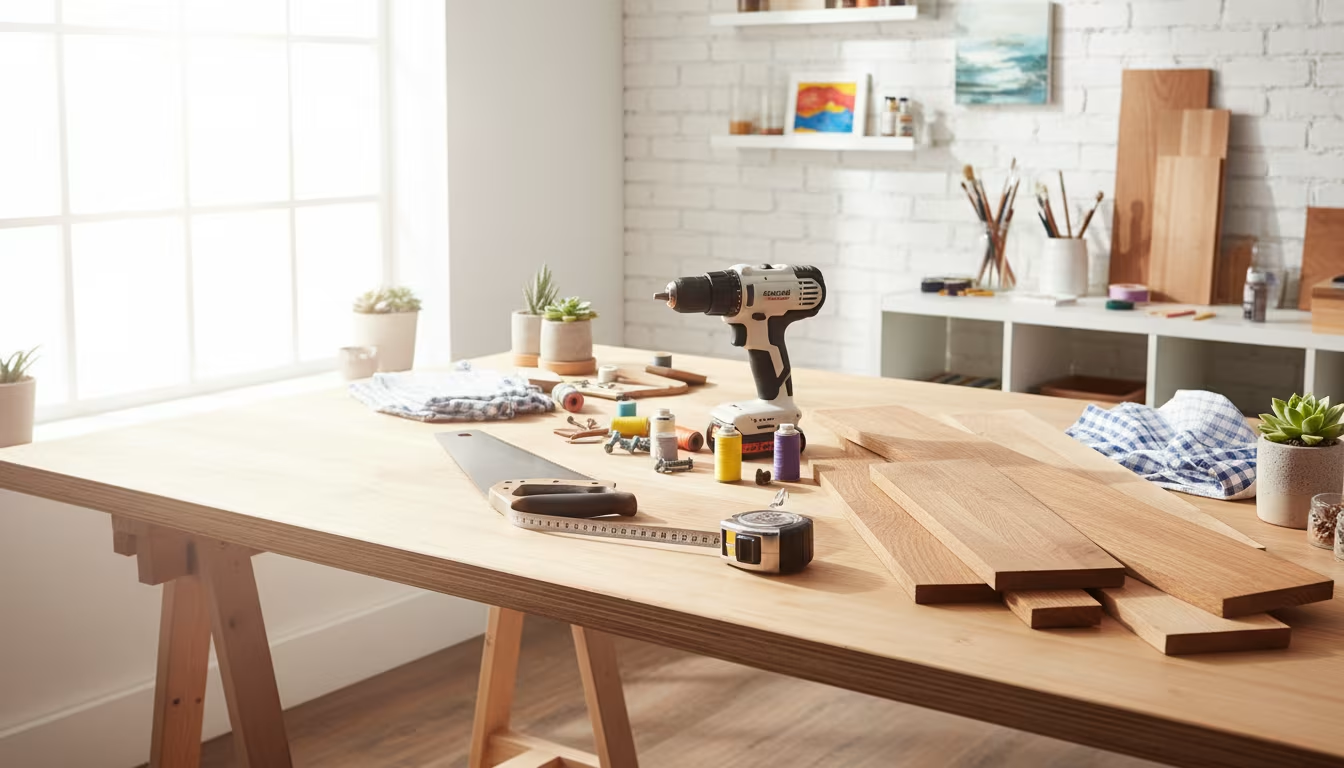
How to Set Up a Screen Printing Station in Your Garage

How to Set Up a Screen Printing Station in Your Garage

Hey there, fellow makers! 👋 Ever found yourself scrolling through Etsy, admiring all those cool, custom-designed t-shirts, tote bags, or even art prints?

And then that little voice in your head pipes up, "I could totally make that myself!" Well, I hear you. That's exactly how I fell down the screen printing rabbit hole a few years back.

Today, we're diving into how to carve out your own screen printing station right in your garage. No fancy studio needed, just a bit of space and some elbow grease.

We'll talk about getting set up without breaking the bank, tackling the messy bits, and how to avoid some of the early blunders I definitely made.

Why This Actually Matters

Okay, so why bother with screen printing? For me, it started with a pile of plain t-shirts and a desire to make gifts for friends that felt truly personal.

Buying custom merch gets expensive fast, right? Imagine being able to whip up a batch of shirts for your local craft fair, or just a custom tote for your weekly farmers market run.

My first big success was making a batch of "Portland Grown" onesies for new parents in my friend group. They were a huge hit, and cost me maybe $5 apiece in materials versus buying something similar for $25.

Plus, there's something incredibly satisfying about pulling that squeegee and revealing a crisp design on fabric. It's like magic, but you made it happen.

Finding Your Screen Printing Sweet Spot

Before we even talk about specific gear, let's nail down what screen printing actually is in simple terms. At its core, you're pushing ink through a mesh screen, but only where you want the design to go.

It’s like a super detailed stencil that you can reuse over and over again. The magic happens when you block off certain areas of the screen, leaving your design open for the ink to pass through.

Understanding the Basics: Screens, Stencils, and Ink

When you're first starting, you've got a couple of main ways to create your stencil. You can go old-school with cut vinyl, or you can get a bit more advanced with photo emulsion.

For a garage setup, especially if you're just dipping your toes in, I'd suggest starting with vinyl. It's less messy to learn and doesn't require a darkroom or special lights.

  • Screens: Your Foundation - These are essentially frames stretched with a fine mesh fabric. You'll find them in wood or aluminum. Aluminum lasts longer, but wood frames are a solid budget-friendly starting point. Mesh count matters here; a higher count (like 200-230) is good for fine details, while a lower count (110) is better for bolder designs and thicker inks on fabric. I usually grab a 160-count screen to be a good all-arounder when I'm just starting a new project.
  • Squeegee: Your Ink Mover - This tool is what pushes the ink through your screen. They come in different sizes and "durometers," which is just a fancy word for hardness. A medium-hardness squeegee (around 70 durometer) is a great all-rounder for fabric printing. Make sure it's a bit wider than your design, but narrower than your screen's inside frame. I've ruined a few prints by using a squeegee that was too short, leaving streaks on the sides.
  • Ink: Your Color Story - For beginners and garage setups, I strongly recommend water-based inks. They're much easier to clean up with just water (no harsh chemicals!), smell less, and are more forgiving if you make a mess. Plastisol inks are common in professional shops, but they require solvents for cleanup and specific heat-curing methods that can be a bit more intense for a home setup. I started with a basic black water-based ink and expanded my color palette from there.
  • Stencil Making: Vinyl vs. Emulsion - As I mentioned, vinyl is great for beginners. You cut your design out of adhesive vinyl (a Cricut or Silhouette machine is fantastic for this, but you can hand-cut too!), stick it to your screen, and you're ready to print. Photo emulsion involves coating your screen with a light-sensitive liquid, letting it dry in the dark, then exposing it to UV light with your design on a transparent film. The unexposed emulsion washes away, leaving your stencil. It offers more detail but adds a few more steps and requirements. I graduated to emulsion after I felt really comfortable with the basics.
  • Washout Area: The Unsung Hero - This is where you clean your screens. You need a dedicated spot where you can spray water and remove ink and emulsion without making a colossal mess. A utility sink, a large plastic tub, or even just a designated spot outside with a garden hose works. Trust me, you do not want to be doing this in your kitchen sink. Been there, done that, earned myself a stern talking-to.
  • Drying Rack: Patience is Key - After printing, your items need to dry without smudging. A simple clothesline, a drying rack from a thrift store, or even just a clear table space works. You'll also need a way to "cure" your ink, which means heating it to make it permanent. A heat gun for small projects or a flash dryer for bigger batches are common. For my first few projects, I just used my regular clothing iron on a high setting – it totally works in a pinch!

Clearing the Clutter: Prepping Your Garage Space

Okay, so your garage probably isn't a pristine art studio. Mine certainly isn't! It's got sawdust, garden tools, and sometimes even a stray cat seeking shelter.

But that's the beauty of it. You don't need a perfectly clean room, just a designated, functional corner. The key is setting up distinct zones for each part of the process.

Step 1: The "Zone" Strategy for Success

Think of your garage as having three main areas for screen printing: your printing zone, your drying zone, and your washout/cleanup zone.

Mentally (or physically, with tape!) mark these out. This keeps things organized and prevents accidental ink spills on your freshly cleaned screen or your spouse's lawnmower.

Step 2: Securing Your Printing Surface

You need a flat, sturdy surface for printing. An old workbench is perfect, or a table you found at a thrift store for $15 like I did.

If you're just starting, you can simply hold your screen in place, but that gets tricky fast for multi-color prints or consistency.

A set of hinge clamps that bolt to your table is a game-changer. They hold your screen securely in the same spot, allowing you to lift it, place your item, and lower it precisely every time.

I learned this the hard way after trying to free-hand my first batch of tote bags. Let's just say only about half were usable.

Step 3: Lighting It Up (If You Go Emulsion)

If you decide to use photo emulsion for your stencils, you'll need specific lighting. When you're coating your screen with emulsion, it needs to be in a darkroom or under a very dim "safe light" (like a yellow bug light bulb).

Emulsion is sensitive to UV light, so any bright light will expose it prematurely. Once coated and dry, you'll need a UV light source to expose your design.

This could be the sun on a clear day (free, but unpredictable!), a shop light with a specific UV bulb, or a dedicated exposure unit. I started with a regular shop light and some specialized UV LED strips from the hardware store. It worked pretty well and wasn't too expensive.

Step 4: The Crucial Washout & Cleanup Corner

This is probably the most overlooked but vital part of your setup. Screen printing can be messy, and you need a place to clean screens and tools without making a colossal mess or clogging your household drains.

A utility sink is ideal if you have one. If not, a large plastic tub (the kind you store holiday decorations in) placed on saw horses or a sturdy table works perfectly.

Position it near a drain or outside where you can use a garden hose. For water-based inks, plain water and a scrub brush are usually enough. For emulsion, you'll need a pressure washer or a strong spray nozzle to reclaim your screens.

Just remember, try to contain any ink runoff and dispose of it responsibly – don't just dump big globs of ink down a storm drain.

Step 5: Drying & Curing Solutions

After you print, your items need to dry. A simple clothesline strung across a corner of your garage, a few wire racks, or even just a clean, flat surface will do for air drying.

However, for the ink to be permanent and washable, it needs to be "cured" with heat. For small projects, a heat gun (the kind used for stripping paint) works great.

Just make sure you're moving it constantly to prevent scorching your fabric. For larger batches, a flash dryer (a unit that radiates heat) is incredibly efficient, but also a bigger investment.

My first method was simply ironing each shirt on a high-heat, no-steam setting for about 2-3 minutes per side. It’s tedious but effective when you’re just starting out.

Step 6: Smart Storage and Organization

Once you've printed and cleaned, you'll need a place for everything. Screens can be stored vertically against a wall or in a dedicated rack.

Inks should be stored in airtight containers, ideally in a place that doesn't get too hot or too cold. Keep your squeegees, tape, and other small tools in clear bins or on a pegboard.

A little organization goes a long way in a garage setup, preventing you from constantly searching for that one roll of painter's tape or your favorite squeegee. I love using those clear plastic shoe boxes for my smaller supplies; you can see everything at a glance.

Avoiding the Ink Spills: Common Mistakes & My Blunders

Let's be real, screen printing isn't always smooth sailing, especially when you're learning. I've had my fair share of messed-up shirts, blurry designs, and ink-splattered floors.

It's all part of the process, but knowing some common pitfalls can save you a lot of frustration and wasted materials.

Mistake 1: The Squeegee Slip-Up

One of the most common issues for beginners is inconsistent pressure or angle with the squeegee. Too little pressure, and you get patchy prints where the ink doesn't fully transfer.

Too much pressure, and you might push ink under the stencil, leading to blurry edges or "bleeds." I often found myself either pressing too hard or holding the squeegee at the wrong angle, which means the ink just didn't spread evenly.

The trick is a firm, even stroke at about a 45-degree angle, with just enough pressure to clear the ink from the screen in one pass. It takes practice, so grab some scrap fabric for your first few tries!

Mistake 2: Neglecting Screen Prep

A clean screen is a happy screen. If you're using photo emulsion, any dust, grease, or dirt on your screen before you coat it can lead to pinholes or areas where the emulsion doesn't adhere properly.

This means unwanted ink spots on your final print. Even with vinyl stencils, a clean, dry screen helps the vinyl stick better.

I once didn't degrease a screen properly, and when I went to apply emulsion, it beaded up in spots like water on a freshly waxed car. Needless to say, that screen was a write-off for that project.

Mistake 3: Over-Inking the Screen

It's tempting to glob a huge amount of ink onto your screen, thinking more is better. It's usually not.

Too much ink can make it hard to get a clean pull, potentially pushing ink underneath your stencil, or leading to thick, uneven prints. You only need enough ink to cover your design area with a little extra on each side.

You can always add more if you need to, but it's much harder to take it away. I remember piling on way too much ink for a four-color print, and by the time I was done, the ink was just oozing over the edges of my squeegee.

Mistake 4: Rushing the Cure

This is a big one. You've printed your design, it looks fantastic, and you're ready to show it off. But if you don't properly cure the ink, all that hard work will literally wash away in the laundry.

Each ink has a specific temperature and time it needs to reach to become permanent. Skipping this step, or not hitting the right temperature, is a common beginner mistake.

My very first custom t-shirt faded drastically after its first wash because I didn't heat-set it long enough. Now, I always do a "stretch test" – if the ink cracks when stretched, it needs more curing time.

Mistake 5: Procrastinating Cleanup

Dried ink on a screen is your worst enemy. It's incredibly difficult to remove and can ruin a screen. As soon as you're done printing, or even between long printing sessions, clean your screens immediately.

Water-based inks are easy to clean with water while wet, but once they dry, they can be stubborn. If you're using emulsion, you'll need specific emulsion removers, but even those work best before the emulsion has fully hardened over time.

I once left a screen with black ink on it overnight, thinking I'd "get to it tomorrow." That "tomorrow" turned into an hour of furious scrubbing and still left a faint stain on the mesh. Lesson learned: clean as you go!

Mistake 6: Starting Too Complex

It's easy to get excited and want to print a multi-color, highly detailed design right out of the gate. Trust me, resist the urge.

Start with a simple, one-color design. Get comfortable with the printing motion, ink application, and cleanup before adding the complexities of registration for multiple colors or super fine lines.

My first attempt at a two-color design was a comical mess of misaligned layers. I ended up just making it a one-color shirt and telling everyone it was "abstract."

Mistake 7: Skimping on Essential Materials

While I'm a huge fan of budget-friendly crafting and using thrift store finds, there are a few areas where skimping might cost you more in the long run. Cheap screens can warp, leading to poor prints.

Low-quality inks might not give good coverage or cure properly. Investing in a decent screen, a good squeegee, and quality ink from the start will make your learning process much smoother and more enjoyable.

The secret to good screen printing isn't magic, it's meticulous prep and patient cleanup.

Frequently Asked Questions

Do I need a fancy screen printing press to start?

Absolutely not! While presses make multi-color prints much easier, you can start with just hinge clamps bolted to a table. For super basic, one-color prints, you can even carefully hold the screen yourself. My first year of screen printing, I only used hinge clamps, and it worked great.

What's the best type of ink for beginners in a garage?

Water-based inks are generally your best bet. They're easier to clean up with just water, have minimal fumes, and are more forgiving if you make a mistake. They also cure well with a heat gun or even a home iron, which is perfect for a garage setup.

How do I clean my screens without making a huge mess?

The key is immediate action. For water-based inks, rinse your screen thoroughly with water right after printing. For emulsion, you'll need a specific emulsion remover and a powerful spray (like a pressure washer or strong garden hose nozzle) in a designated washout area. Containing the mess to one spot, like a utility tub, really helps.

Can I screen print on things other than t-shirts?

Oh, definitely! I've screen printed on tote bags, hoodies, posters, wood panels, even thick cardboard for art prints. Just make sure your ink is appropriate for the surface – fabric ink for fabric, paper ink for paper, etc. The possibilities are really endless once you get the hang of it.

Is screen printing expensive to get into?

It can be, but it doesn't have to be. You can find beginner screen printing kits for around $100-$150 that include a screen, ink, squeegee, and emulsion. Then you can scavenge for things like a table (thrift store!), a heat gun (hardware store), and plastic tubs (dollar store) to keep costs down. My initial setup cost me less than $100, not including my Cricut machine which I already owned.

How long does it usually take to set up a basic station?

You can get a functional, basic screen printing station set up in an afternoon, probably 2-3 hours. This includes bolting down hinge clamps, setting up your washout tub, and organizing your initial supplies. You'll definitely refine it as you go, finding better ways to store things or optimize your workflow.

What's the biggest challenge for beginners?

From my experience, the two biggest challenges are getting consistent squeegee pressure for a clean print and properly managing photo emulsion (if you go that route). Both of these just come down to practice. Don't be afraid to experiment on scrap fabric, and don't expect perfection on your first try!

The Bottom Line

Setting up a screen printing station in your garage is totally doable, even if your garage currently serves as a storage unit for old bikes and dusty tools. It doesn't require a massive investment, just a bit of organization and a willingness to learn.

Start with simple designs and water-based inks, and focus on mastering each step before moving on to more complex projects. Your first print won't be perfect, and that's completely okay. Mine certainly weren't!

But the feeling of pulling that first successful print, knowing you made it yourself, is incredibly rewarding. So go ahead, clear a little space, grab some basic supplies, and let's get printing! ❤️

Laura Hayes
Written by

Laura Hayes

Maker and craft enthusiast from Portland, Oregon. I've been documenting my DIY journey since 2019 - everything from woodworking to paper crafts. When I'm not in my garage workshop, you'll find me hunting for supplies at thrift stores.