How to Build a Light Box for Photographing Your Handmade Crafts
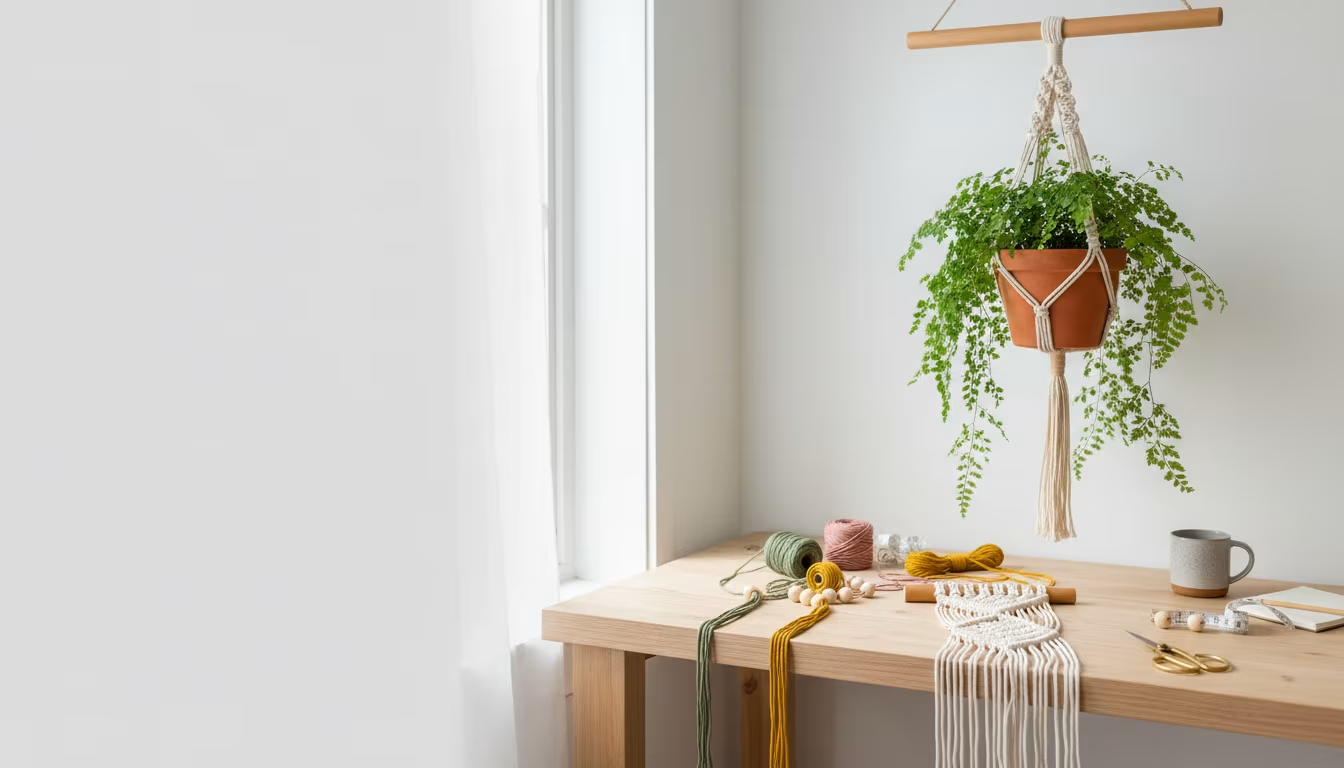
You know that feeling, right? You spend hours – maybe even days – on a craft. It’s perfect. It’s beautiful. You’re so proud of it. Then you try to take a picture, and suddenly it looks… meh. Dark, blurry, weird shadows, colors are all wrong. It's frustrating to see your amazing work look so bland in a photo.
I’ve been there more times than I can count. My first attempts at selling small woodworking pieces online were met with crickets. I realized quickly it wasn't my craftsmanship, it was my terrible photos. My $15 thrift store frames looked like they were taken in a dungeon!
That’s why building a simple light box changed everything for me. Today, I'm going to walk you through how to build your own budget-friendly light box. We’ll talk about what you need, how to put it all together, and how to get those bright, clear photos your handmade items truly deserve. Let’s get your crafts sparkling! ✨
Why This Actually Matters
Okay, so why bother with a light box? Can't you just use your phone and some natural light? Well, yes, you can. But hear me out. If you’re trying to sell your crafts online, or even just share them proudly on social media, good photos aren’t just nice to have – they’re essential.
Think about it from a buyer's perspective. When you're scrolling through an online shop, what makes you stop? It's usually a clear, well-lit photo that shows off the details. A dark, grainy picture with weird shadows just doesn't grab attention. It actually makes your beautiful, handmade item look less valuable.
I learned this the hard way. I once spent a weekend making these intricate paper flower arrangements. They were vibrant, delicate, truly lovely. I took a few quick photos on my kitchen counter under the overhead light, and they looked… flat. They lost all their depth and color. After building my first light box – which took maybe an hour – I re-shot them. The difference was night and day. Suddenly, people were commenting, asking about them, and yes, buying them! It felt like I had finally given my work the proper showcase.
What Even Is a Light Box? (And Why You Need One)
Let's simplify things. A light box is basically a small, enclosed space that creates a controlled lighting environment for photographing objects. It sounds fancy, but really, it's just a way to make sure your craft gets even, consistent light from all angles. This helps eliminate those harsh, distracting shadows and ensures your colors look true to life.
You're essentially building a mini studio for your crafts. It helps you tame unruly light, whether it’s too bright, too dim, or coming from all the wrong directions. This consistency is a real game-changer when you want to take multiple photos of different items and have them all look cohesive.
Why Light Is Your Best Friend (and Worst Enemy)
Understanding a little about light helps you use your light box effectively. It's not just about turning a light on; it's about how that light interacts with your craft.
Diffused Light: Your Secret WeaponDirect, harsh light from a single bulb or a bright window creates really dark, sharp shadows. Diffused light, on the other hand, is spread out and softened. Think of how soft the light is on an overcast day – that’s diffused light at work. A light box uses diffusing material to soften the light before it hits your craft, making shadows gentle or making them disappear entirely. This makes your items look smoother and more professional.
Consistent Light: Repeatable ResultsIf you rely on natural light, your photos will look different depending on the time of day, the weather outside, and even the direction your window faces. With a light box, you’re in control. You set up your lights once, and you can get the same quality of light every time. This means all your product photos will have a similar, professional look, which is fantastic for branding and consistency on your shop or blog.
Clean Background: Focus on Your CraftEver tried to photograph a small item on your kitchen table, only to have a pile of mail or a half-empty coffee mug in the background? A light box provides a seamless, usually white, background. This eliminates distractions and keeps the focus exactly where it should be: on your incredible handmade item. It makes your craft pop and removes any visual clutter that takes away from its appeal.
How To Actually Do It: Your DIY Light Box
Alright, let's get our hands dirty! Building a light box is one of those projects that feels more intimidating than it actually is. You don't need fancy tools or a huge budget. Most of what you need you might already have around the house, or you can grab it cheaply. My first one cost me less than $20!
Step 1: Gather Your Supplies
Before we start cutting, let’s get everything ready. Having all your materials laid out makes the whole process smoother. No frantic searches for tape mid-project!
A Cardboard Box: Your FoundationThis is the core of your light box. Look for a sturdy cardboard box that's a good size for the crafts you usually make. If you mostly make jewelry, a shoebox might work. For larger items, you'll need a bigger moving box. Just make sure it’s clean and has no major dents. I grabbed a medium-sized moving box from a friend who was unpacking. It was about 18x18x18 inches, which is super versatile.
White Poster Board or Fabric: The Seamless BackgroundYou'll need at least one large piece, maybe two, depending on the size of your box. White is usually best because it reflects light beautifully and creates a clean, neutral backdrop. You can find poster board at any craft store or even a dollar store. If you go with fabric, make sure it’s opaque and not too thin – a plain white cotton bedsheet scrap works wonderfully. I picked up a large sheet of white Bristol board from a craft store for about $4.
Diffusion Material: Softening the LightThis is what turns harsh light into that lovely soft glow. Good options include parchment paper (the kind you bake with!), white tissue paper, white fabric scraps (like an old white t-shirt cut up), or even thin white plastic sheeting. You just want something translucent. I always have a roll of parchment paper in my kitchen, so that was my go-to for my first box.
Cutting Tools: Precision MattersAn X-Acto knife or a sharp utility knife is ideal for precise cuts in cardboard. You'll also want a ruler or straight edge to keep your lines clean. Be careful with these tools, and always cut on a protected surface! I've learned that lesson the hard way, carving grooves into my garage workbench.
Adhesive: Keeping it TogetherMasking tape, duct tape, packing tape, or even a hot glue gun will work. You need something strong enough to hold cardboard and paper/fabric securely. I'm a big fan of packing tape because it's strong and pretty invisible when you’re done.
Lights: The IlluminatorsYou'll need at least two light sources, preferably three. Simple clamp lights with an adjustable head are fantastic and super affordable. You can often find them for under $10 each at hardware stores. Make sure to get "daylight balanced" LED bulbs (around 5000K-6500K). These bulbs mimic natural daylight and ensure your colors are accurate, not yellowish or bluish. I grabbed two clamp lights for about $7 each at Harbor Freight, and then some LED bulbs for another $5 each.
Step 2: Prep Your Box – Cutting the Windows
This is where your light box starts to take shape. You’re going to cut openings in your cardboard box to let light in from multiple directions. This is key for even illumination.
Lay your cardboard box down so one of the larger sides is facing you. This will be the front of your light box, where you’ll place your craft and take photos. You don’t need to cut anything on this side.
Now, on the two side panels and the top panel, mark out rectangular openings. Leave a border of about 1 to 2 inches around the edges of each panel. This border provides stability for the box and gives you something to tape your diffusion material onto. For an 18-inch box, I made my openings about 14x14 inches, leaving a 2-inch border all around. Use your ruler and a pencil to draw these lines clearly.
Carefully cut along these lines using your X-Acto or utility knife. Take your time. Don't try to cut through all the cardboard layers in one pass; several light scores are safer and give you a cleaner edge. Once you’ve cut out all three openings, you should have a box with three "windows" and a solid bottom and back.
Step 3: Diffuse the Light – Softening the Glow
Now that you have your windows, it’s time to add the diffusion material. This is crucial for getting that soft, even light.
Take your parchment paper, tissue paper, or white fabric. Cut pieces that are slightly larger than the window openings you just created. You want enough overlap to tape them securely to the inside edges of the cardboard.
Working from the
inside of the box, tape or glue your diffusion material over each of the three window openings. Make sure the material is pulled taut but not so tight that it tears. You want it to be smooth across the opening. I prefer using strong packing tape for this because it holds well and you can't really see it once the lights are on. If you're using fabric, a hot glue gun might be easier for a really secure hold.Once you’re done, if you look at the outside of your box, you should see three diffused windows. When you shine a light through these, it will appear much softer than a direct light source.
Step 4: Create the Seamless Background – No Horizon Lines!
A seamless background is what makes your photos look truly professional. It eliminates any harsh lines or corners behind your craft, keeping the focus entirely on your subject.
Take your large piece of white poster board or fabric. If you're using poster board, you might need to trim it slightly to fit snugly inside your box.
Place one end of the poster board on the very bottom of the inside of your light box. Let it curve gently upwards and attach the other end to the top-inside back wall of the box. You want a smooth, gradual curve from the bottom to the back, with no sharp crease or corner. This creates an "infinity wall" effect, making it look like your craft is floating in a clean, white space.
Use tape or glue to secure the poster board to the bottom and top-back inside edges of your box. Make sure it’s taut and smooth, without any wrinkles. If you're using fabric, you can secure it the same way. The goal here is a clean, unbroken white sweep from floor to ceiling within your box.
Step 5: Set Up Your Lights – The Perfect Illumination
This is where your craft truly gets to shine! Proper light positioning is key. You'll want to place your clamp lights outside the light box, shining through the diffused windows.
Position one light on each side of the box, pointing towards the inside. Angle them so the light hits your craft from both the left and right. Then, if you have a third light, position it above the box, shining down through the top window.
The goal is to get as much even illumination as possible. Play around with the distance of the lights from the box. Moving a light closer will make it brighter, farther will make it softer. Make sure all your bulbs are the "daylight balanced" type (5000K-6500K) to avoid weird color casts. If you have different types of bulbs, your photos might end up looking orange on one side and blue on the other. It’s a common mistake I made early on, leading to very confused colors!
Step 6: The First Test Shot – See What You’ve Built!
It’s time for the moment of truth! Place a small, simple item inside your light box – maybe a small wooden coaster or a piece of jewelry. Take a photo with your phone or camera.
Don't worry if it's not perfect yet. This is your first test. Look at the photo. Are there any harsh shadows? Is the lighting uneven? Are the colors accurate? This initial shot gives you crucial feedback. My first test shot of a little clay magnet still had a weird shadow, telling me I needed to adjust my side lights.
Step 7: Refine and Adjust – Getting That Perfect Picture
Now you'll fine-tune your setup. This is where experimentation comes in, and it's totally normal to make adjustments.
If you see shadows, try repositioning your lights. Sometimes moving a light just a few inches can make a huge difference. You might need to adjust the angle, or even the distance of the light source from the diffusion panel. If the photo looks too dim, bring your lights closer. If it looks blown out or too bright, move them a bit farther away.
Sometimes, if the light is still a bit harsh, you can add another layer of diffusion over your windows. Two layers of parchment paper might soften the light even more than one. Don't be afraid to experiment! This part really is more art than science, and every craft item might need a slightly different setup to look its best. I spent a good 20 minutes just adjusting angles for my first delicate paper flower, but it was worth it.
Making It Stick / Common Mistakes to Dodge
You’ve built your light box – awesome! But getting great photos also involves avoiding some common pitfalls. Trust me, I've stumbled into all of these myself.
Not Enough Light: The Grainy Photo CulpritThis is probably the most common mistake. You have a light box, but if your light sources aren't strong enough or positioned correctly, your photos will still look dim and grainy. Always use the brightest bulbs you can get, and make sure they're daylight balanced. If you only have two lights, prioritize the sides. If you can add a third for the top, even better!
Too Much Direct Light: Hello, Glare and Shadows!On the flip side, sometimes people think more light is always better. But if your diffusion material isn't doing its job, or if your lights are too close and powerful without enough diffusion, you'll still get harsh reflections or overexposed spots. The key is
soft, even light, not just bright light. If you see glare, try moving the light back slightly or adding another layer of diffusion. Ignoring White Balance: When Colors Go WildThis is a big one. If your camera (even your phone camera!) isn't set to the correct white balance, your whites might look yellow, or your blues might look gray. Many cameras have an "auto white balance" setting, which works okay, but sometimes you need to manually set it to "daylight" or "fluorescent" depending on your bulbs. Or, you can use a small white or gray card in your first shot, and then adjust the white balance in editing software based on that neutral reference. It's a small step that makes a huge difference in color accuracy.
Wrong Background Color: Distracting Your ViewerWhile white is usually the go-to, sometimes a specific craft might look better on a light gray or even a very light pastel background. However, avoid busy patterns or colors that clash with your item. The background should always serve to highlight your craft, not compete with it. I once tried a dark gray background for some bright paper flowers and it just sucked all the vibrancy out of them. Lesson learned!
Rushing the Shot: Patience is a VirtueIt’s tempting to just snap a photo and move on. But take your time. Adjust your item, check for dust or lint, move your lights slightly, take a few shots from different angles. Look at the photo on a larger screen if you can, not just your phone. Sometimes a tiny adjustment makes a huge impact.
"Your best photographs often come from the 'failed' attempts where you learned something new about light."
Frequently Asked Questions
Building a light box and learning to use it often brings up a few common questions. Here are some I hear all the time, and some I asked myself when I started.
Do I really need a lightbox? Can't I just use natural light?
Natural light is beautiful, and if you have a great window and consistent sunny days, you can absolutely get amazing photos. But the big drawback is consistency. Natural light changes with the time of day, the weather, and the seasons. A light box gives you a controlled environment, meaning you can take professional-looking photos any time, day or night, rain or shine. It's about reliability and repeatability.
What kind of lights should I use? Are expensive ones necessary?
Definitely not! You absolutely don't need expensive studio lights. Those clamp lights with reflector domes you can find at any hardware store for under $10 each are perfect. Just make sure to pair them with "daylight balanced" LED bulbs (around 5000K to 6500K). These bulbs mimic natural sunlight and prevent your photos from looking too yellow or too blue. I've even seen people use old desk lamps with the right bulbs, if they're flexible enough to position.
My photos still look a bit dull. What am I doing wrong?
A few things could be happening. First, check your light placement again. Are all angles evenly lit, or is one side darker? You might need to add another light or adjust the distance. Second, consider a little post-processing. Even free phone editing apps can do wonders for brightness, contrast, and clarity. Often, a slight bump in exposure and contrast is all it takes to make your photos pop.
How long does this project actually take to build?
For a basic cardboard light box, you can usually gather materials and build it in about 1 to 2 hours, especially once you have all your supplies. The cutting and taping are pretty straightforward. However, the initial setup and testing of your lights, and taking your first few photos to get a feel for it, might add another hour. But once it's built, it's ready to go whenever you need it!
Is this worth it if I only sell a few crafts a month?
Absolutely! Even if you’re just making crafts as a hobby and sharing them with friends, good photos make your work look so much better. It shows off your dedication and skill. And if you ever decide to try selling more, you’ll already have a professional setup. It’s a small investment in time and materials that pays off big in how your creative work is perceived, both by you and by others.
The Bottom Line
Taking great photos of your handmade crafts doesn't need to be expensive or complicated. A simple, DIY light box can truly transform how your work looks. It helps you get that clean, bright, professional image that makes your creations stand out, whether you're selling them or just sharing your passion.
Don't let intimidating photography gear stop you. Start with a cardboard box, some parchment paper, and a couple of cheap lights. Experiment. Play around. Your crafts deserve to be seen in their best light, and now you know exactly how to make that happen. Happy making, and happy photographing! 👋